
E\TRADE is one of the most recognizable names in retail brokerage, and for a specific kind of trader — the options-focused, chart-driven, "I want to model this spread before I put it on" trader — it punches well above its reputation. Most people know E\TRADE from the talking-baby commercials. Fewer know that buried inside the account is *Power E\TRADE**, a genuinely elite options platform with a strategy optimizer, a spectral P&L map, and an earnings-move analyzer that rival platforms charge for or bury three menus deep.
This guide walks you through the whole thing the Hollow Point way: top-down, plain-English, and built so you can use it Monday. We'll cover what E\TRADE is and who it fits, how to open and fund an account, the difference between the classic site and Power E\TRADE, how to place your first stock trade, how options approval works, the options chain and every strategy tool, order types and conditional orders, fees and the payment-for-order-flow reality, margin, the 2026 PDT change, how the platform behaves across different market regimes, how it stacks against peers, and where beginners quietly bleed money without knowing it. Then we finish with a FAQ and a one-screen cheat-sheet you can pin.
One standing note before we start: brokerage UIs change constantly. Menus move, buttons get renamed, tabs get reorganized, fee schedules get revised. Everything here reflects the workflow and where things live as of 2026, but treat exact screen paths and exact numbers as a map, not a photograph. When I say "verify the current screen," I mean it — click around and confirm before you assume. A guide's job is to teach you what to look for and why it matters; the pixel-level location is yours to confirm on the live site.
What It Is & Who It's Best For
E\TRADE is a full-service online broker offering stocks, ETFs, options, futures, mutual funds, bonds, and retirement accounts. Since 2020 it has been owned by Morgan Stanley, which matters for two concrete reasons: your money sits behind a large, well-capitalized institution with deep regulatory scrutiny and SIPC protection, and E\TRADE increasingly connects to Morgan Stanley's broader wealth ecosystem — research feeds, banking products, advisory services, and equity-compensation administration for employees whose companies run their stock plans through Morgan Stanley at Work. You're not dealing with a scrappy startup. You're dealing with Wall Street's retail front door, and that has upsides (stability, research depth) and a downside (it moves like a big institution, not a nimble fintech).
The platform splits into two experiences that share one login and one account:
- The classic E\TRADE website and app** — clean, simple, built for investors. Buy some shares, check your 401(k) rollover, rebalance an ETF portfolio, look at your dividend income. Approachable, not deep.
- Power E\TRADE** — the active-trader platform, available as a web app, a mobile app, and (for the heaviest users) the deepest desktop workflows. This is where the options firepower lives: streaming Greeks, strategy modeling, a full drawing-and-studies chart engine, paper trading, and 100+ technical studies.
Who Should Actually Open This Account
Here's the honest positioning. E\TRADE is best for*:
- Options traders who want professional modeling tools without a platform fee or a minimum. If your process involves seeing a P&L curve before you commit capital, this is home turf.
- Intermediate investors who want one account that does the boring stuff (IRAs, ETFs, mutual funds) and the exciting stuff (multi-leg spreads) equally well, without opening a second brokerage.
- People who value polish — Power E\*TRADE is one of the most visually intuitive options platforms retail brokerage offers. The learning curve is gentler than thinkorswim's, which is worth real money in reduced fat-finger errors.
- Equity-comp employees whose company stock plan already lives in the Morgan Stanley/E\*TRADE ecosystem — you can trade and manage vested shares in the same login.
It's a weaker fit for:
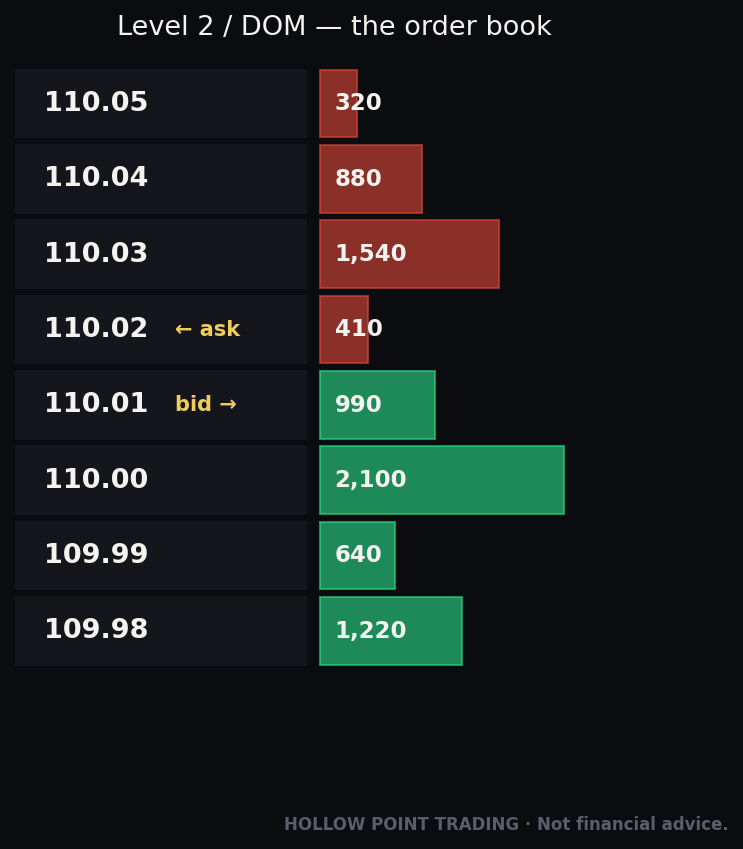
- Pure futures traders — futures exist here, but this isn't a dedicated futures shop with the depth-of-market ladder culture of a specialist. An NQ or ES scalper running a DOM all day will feel the platform wasn't built first for them.
- Cost-obsessed high-volume options scalpers — the per-contract fee isn't the lowest in the market (detailed below). If you're trading 500 contracts a week, pennies compound into real money.
- International traders — E\*TRADE is U.S.-centric in account eligibility and market access.
- Crypto-natives — direct crypto access is limited compared with brokers that built around it.
If you're a Hollow Point-style trader — top-down macro-to-stock, EMA-trend, confluence-weighted, disciplined R/R — Power E\*TRADE gives you the modeling and order infrastructure to execute that process cleanly. You form a thesis from the macro down, you confirm it on the chart, and this platform lets you express it as a defined-risk structure with the exit built in before you click. That's the pitch, and it's a strong one for exactly that trader.
Opening & Funding an Account
Opening an account is a same-day online process for most people. Here's the workflow, with the decisions that actually matter flagged.
Step 1 — Pick the account type. On etrade.com, start the application and choose your account. The common retail choices:
- Individual Brokerage — a standard taxable trading account. This is what most active traders open.
- Retirement — Traditional IRA, Roth IRA, Rollover IRA. Note that IRAs have options restrictions: you generally cannot trade naked and cannot use standard margin borrowing, though defined-risk spreads are often permitted in an IRA with the right approval. If your plan is credit spreads inside a Roth, confirm the account supports it before funding.
- Joint, Custodial, or specialty accounts if relevant.
If you intend to trade options or use leverage, you'll want the brokerage account with margin (you can add margin during signup or later). Margin approval is a separate step layered on top — we'll cover it. The single most common regret here is opening a cash account, discovering three weeks later you can't run the spread you wanted, and having to file for an upgrade. Decide up front.
Step 2 — Provide your details. Standard identity verification: name, address, Social Security number, employment, and financial background. Regulators (via FINRA's suitability rules) require brokers to ask about your income, net worth, liquid net worth, and trading experience. Answer honestly — but understand that your answers directly influence what options approval level you'll be granted. Claiming zero experience will cap you at the lowest tier; there is a real, mechanical link between what you type here and what strategies you can run next week.
Step 3 — Agree to disclosures. Margin agreement, options agreement, and the various risk disclosures including the standard Characteristics and Risks of Standardized Options booklet. Read the options agreement rather than clicking through — it defines what you're allowed to do and the conditions under which the broker can liquidate your positions without asking you.
Step 4 — Fund the account. E\TRADE has no account minimum to open and no ongoing maintenance or inactivity fee*. Funding methods, with the real-world timing:
- ACH bank transfer (electronic, free, typically the default) — link your bank and pull money in. Small transfers can be available quickly; larger ones may hold for a few business days before the cash is fully tradable and, importantly, before it can be withdrawn (brokers hold recently-ACH'd funds against reversal risk).
- Wire transfer — fastest for large amounts, usually same-day if sent early. Incoming wires are free at E\*TRADE; your sending bank may charge you $15–$30.
- Account transfer (ACATS) — move an existing brokerage account in from another firm, positions and all. E\TRADE frequently reimburses transfer-out fees the other broker charges, especially for larger balances — ask, in writing, before you initiate*, and get the reimbursement offer confirmed.
- Check deposit via mobile app or mail (slowest to clear).
Step 5 — Wait for settlement, then trade. Deposited cash needs to settle before it's fully usable. Once your account shows tradable buying power, you're live. First-time funders should confirm whether their initial deposit has any hold before they try to place a trade — nothing is more deflating than a perfect setup and a "insufficient settled funds" rejection.
A practical Hollow Point note: fund with money you've already decided is risk capital. The account opening is the easy part. The discipline is in what you do next. If the amount you're funding would change how you sleep, it's too much for a trading account.
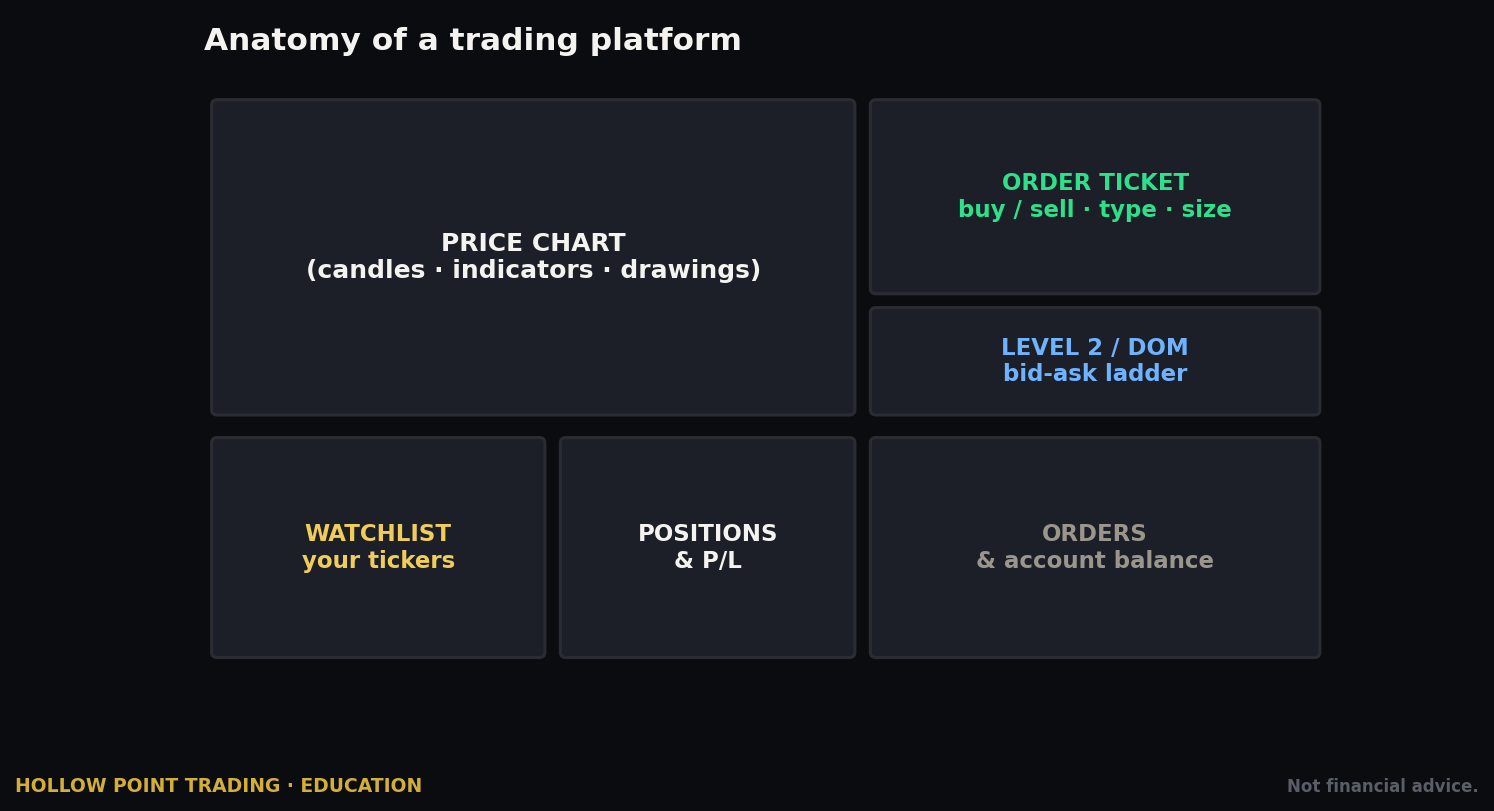
The Interface: Web, Desktop & Mobile
E\*TRADE gives you multiple front-ends into the same account. Understanding which one to use for which job saves you a lot of friction and a lot of mis-clicks.
Classic E\TRADE Web (etrade.com). Log in and you land on a dashboard: account balances, positions, watchlists, market news, and simple order tickets. This is fine for buying shares, checking your portfolio, reviewing statements, or placing a basic options order. It is not** where you model a spread, and its options ticket is deliberately simplified. Think of it as the lobby, not the trading floor.
Power E\TRADE Web.* Launched from within your logged-in account (look for the "Power E\TRADE" or platform launcher — exact placement moves, verify the current screen). This runs in your browser with no download and is the workhorse for most active traders. You get:
- Streaming, customizable charts with 100+ technical studies and full drawing tools — trendlines, Fibonacci, horizontal levels, the works.
- A live options chain with real-time Greeks and toggleable columns.
- The strategy tools (TradeLab, Snapshot Analysis, Strategy Optimizer, Spectral analysis, Earnings Move Analyzer).
- Integrated news (Reuters and others) and a customizable multi-panel layout.
- Paper trading in the same interface, with a toggle rather than a separate app.
Power E\TRADE Pro (Desktop).** A downloadable desktop application for traders who want a multi-monitor, fully customizable workspace with the deepest tool access and the lowest-latency streaming. If you're running a serious daily options operation across several monitors, Pro is the destination. For most people, the web version does everything they need and syncs from anywhere without an install.
Power E\TRADE Mobile & the E\TRADE App. There are effectively two mobile apps: the standard E\TRADE mobile app (investor-friendly, portfolio management, simple trades, mobile check deposit) and the Power E\TRADE mobile app (charts, chains, Greeks, multi-leg options on your phone). The Power mobile app is genuinely capable — you can build and analyze spreads on it, and the risk graph renders on a phone — but small screens are for managing trades, not planning* them. Plan on a big screen; manage on the phone.
The key mental model: classic for investing, Power for trading. Same account, two doors. The single biggest interface mistake beginners make is never walking through the second door. Learn to launch Power E\*TRADE quickly, set it as your default landing habit, and live there.
Placing Your First Stock Trade, Step-by-Step
Let's put on a simple share purchase. This is the foundation before options, and every options ticket is this skeleton plus legs and Greeks.
Step 1 — Pull up the symbol. In Power E\TRADE (or classic), type the ticker into the symbol box. Say AAPL*. The quote, chart, and order panel populate. Glance at the chart before you do anything — you should never buy a symbol you haven't looked at on at least one timeframe.
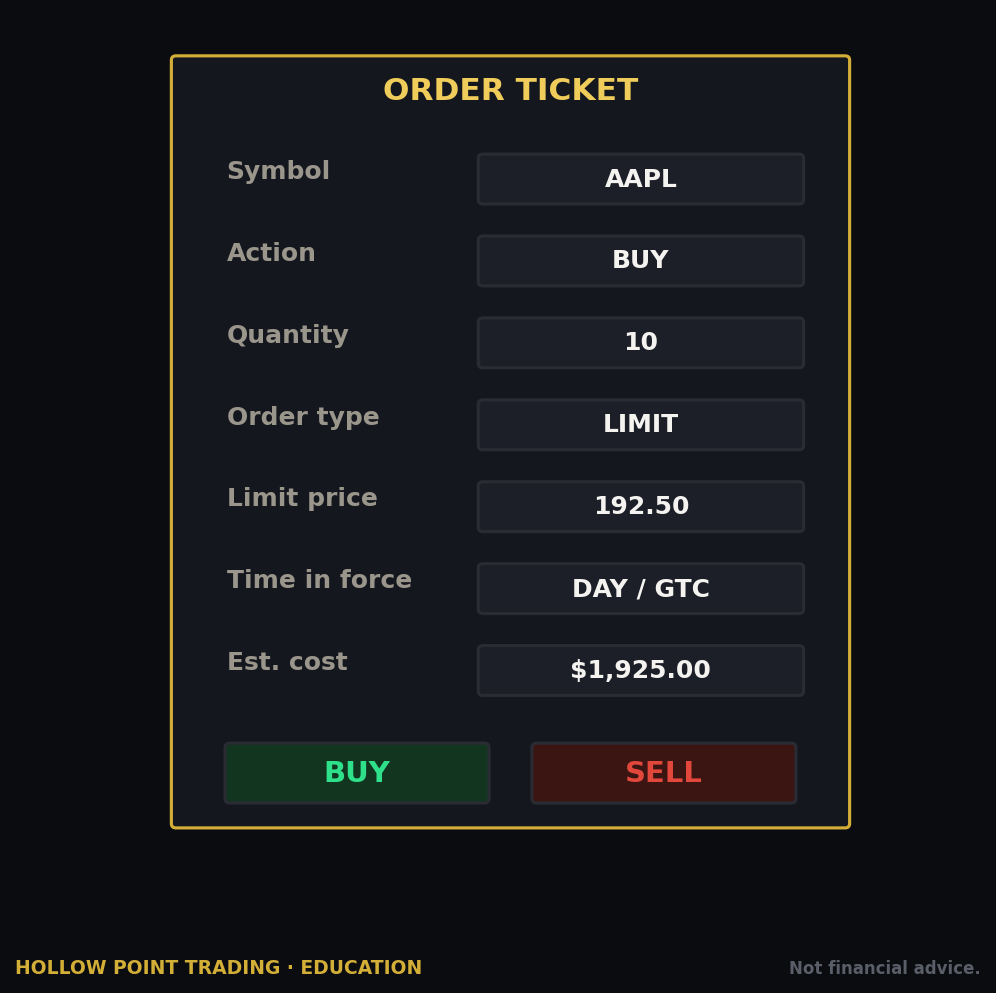
Step 2 — Open the order ticket. Click Buy/Trade to bring up the ticket. You'll set:
- Action: Buy to Open (you're establishing a long position). "To Open" vs "To Close" matters — closing actions net against existing positions.
- Quantity: number of shares.
- Order type: for your first trade, understand the two basics — Market (fill immediately at the best available price) and Limit (fill only at your price or better). New traders should default to limit orders to control fill price, especially on anything with a wide spread or in fast pre-market conditions.
- Price: if limit, set your acceptable price. A common approach on a liquid name is to place your limit at or a penny through the ask to get filled without overpaying.
- Time-in-force: Day (order dies at close) or GTC / Good-'til-Canceled (persists across sessions, typically up to a set number of calendar days before it auto-expires).
Step 3 — Preview. E\TRADE shows a preview screen with estimated cost and any fees. Always preview.* This is your last checkpoint to catch a fat-fingered quantity (100 shares vs 1,000), a wrong order type, or a limit price that's stale.
Step 4 — Place the order. Confirm. The order routes; you'll see it in your Orders list as Open, Partially Filled, or Filled. If it's a limit that isn't filling, decide whether to wait, adjust the price, or cancel — don't just leave a stale order sitting through a moving market.
Step 5 — Confirm the fill and set your exit. Once filled, the position appears in your portfolio. The Hollow Point discipline: you should already know your stop and target before you enter. Immediately place your protective stop (or a bracket — covered below). A trade without a predefined invalidation isn't a trade, it's a hope, and hope is not a position-management strategy.
That's the whole loop: symbol → ticket → type/price/TIF → preview → place → protect. Options add legs and Greeks on top of this exact skeleton, but the rhythm never changes.
Getting Options Approval + Reading the Chain
Options are where E\*TRADE earns its reputation, but you have to be approved to trade them, and the level you're granted determines which strategies you can run. This trips up more new traders than any other single step.
The Approval Levels
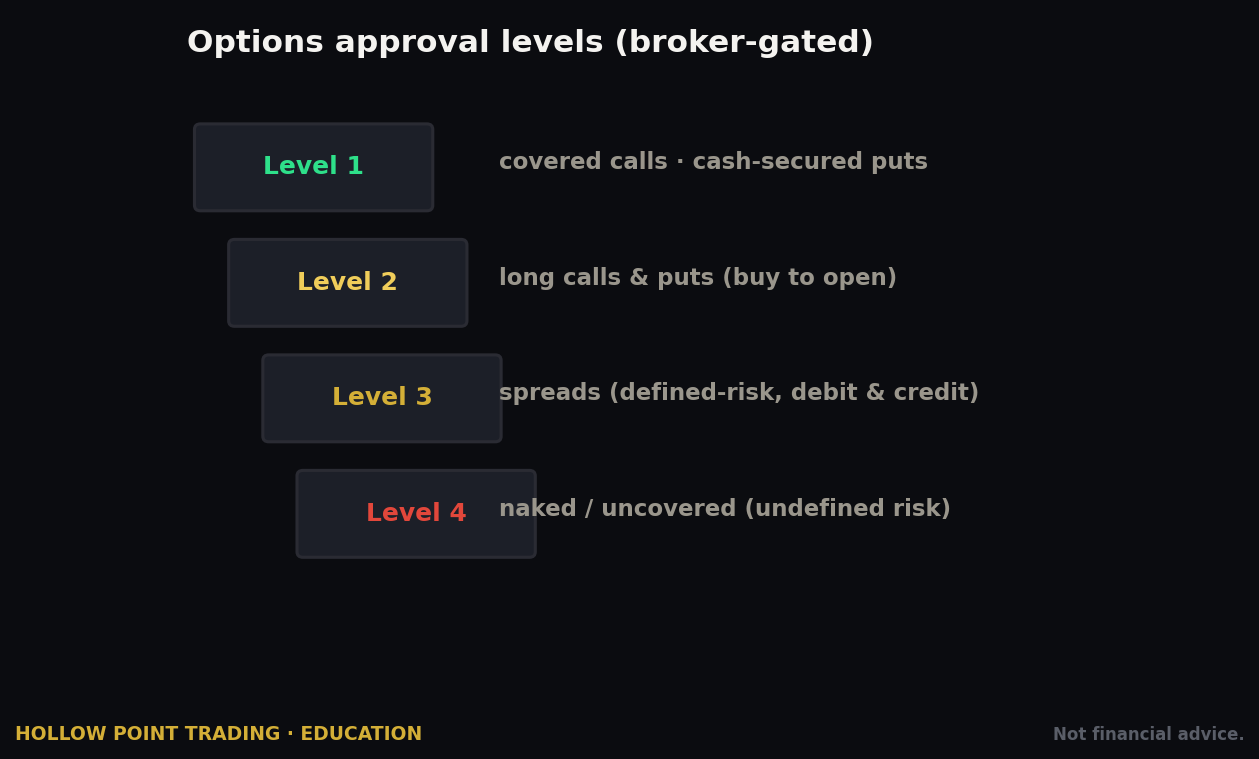
E\TRADE uses a four-tier options approval* system. Exact strategy groupings can be adjusted by the firm, so verify your specific approvals in your account, but the standard structure is:
- Level 1 — Covered strategies. Covered calls, buy-writes, covered-call rolling. You own the stock; you sell calls against it. Lowest risk, easiest approval. This is where a conservative income investor starts.
- Level 2 — Long options and defined-risk basics. Long calls and long puts, long straddles and strangles, married puts, cash-secured puts, and collars. This is the level most retail traders want and can reasonably get — it unlocks straight directional call/put buying, which is where most people begin their options journey.
- Level 3 — Spreads and defined-risk multi-leg. Vertical spreads (debit and credit), calendars and diagonals, butterflies, condors, iron condors, and (with margin) naked puts. This is the level serious options traders need. Credit spreads, iron condors, and calendars all live here. Level 3 requires margin approval because the short legs create margin obligations even when the risk is defined.
- Level 4 — Uncovered/naked calls. Selling naked calls (theoretically unlimited risk). Hardest to get; requires the most capital and experience. Margin required, and the maintenance requirements are steep.
How to get approved: during or after account setup, apply for options trading and select your desired level. E\*TRADE weighs your stated experience, income, net worth, and objectives. If you're denied the level you want, you can build a track record and re-apply — a few months of clean trading history often unlocks the next tier. Don't overstate experience to game a higher tier; you'll end up authorized for strategies you don't understand, which is exactly how accounts blow up.
A Hollow Point view: most disciplined traders can do everything they need at Level 3. Defined-risk spreads let you express a thesis with a known maximum loss, which fits a 1:3 R/R framework far better than naked selling ever will. Level 4 unlimited-risk selling is a professional's game with professional-sized capital behind it — you don't need it to trade well, and the reward-to-risk asymmetry of naked calls (small credit, unlimited loss) is the opposite of what a rules-bound trader is built to seek.
Finding & Reading the Options Chain
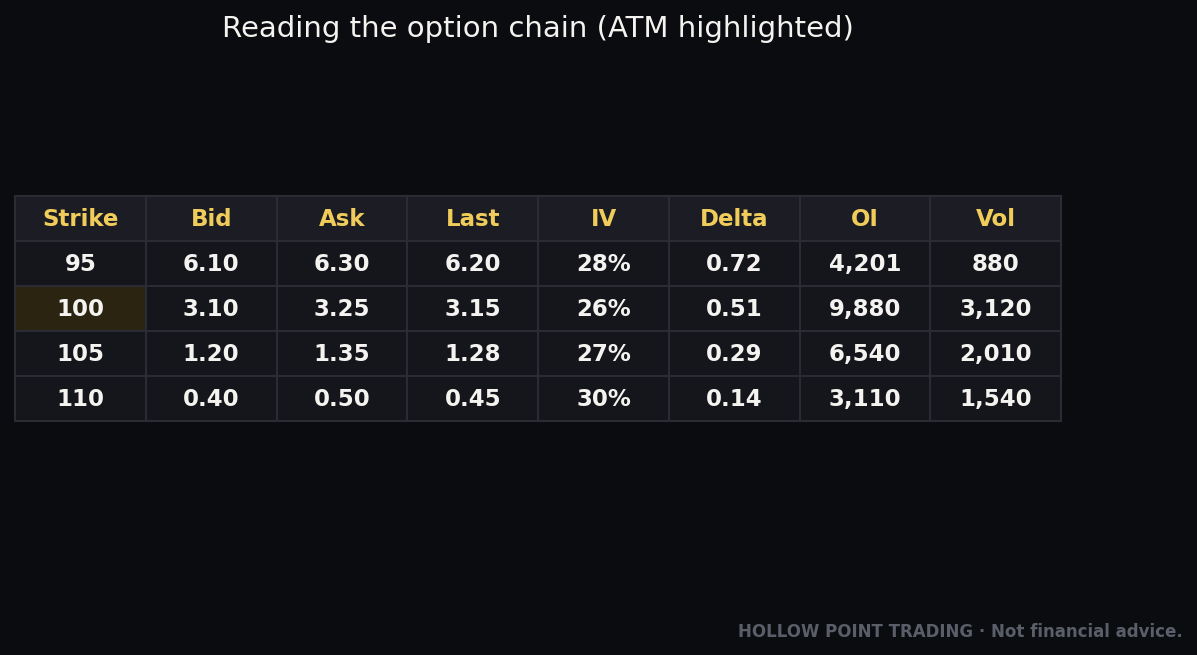
In Power E\TRADE, pull up a symbol and open the options chain*. You'll see expirations across the top (weeklies, monthlies, quarterlies, LEAPS) and a grid of strikes down the middle, calls on one side and puts on the other, with the current underlying price marked in the middle of the strike ladder.
Reading the chain, field by field on a call:
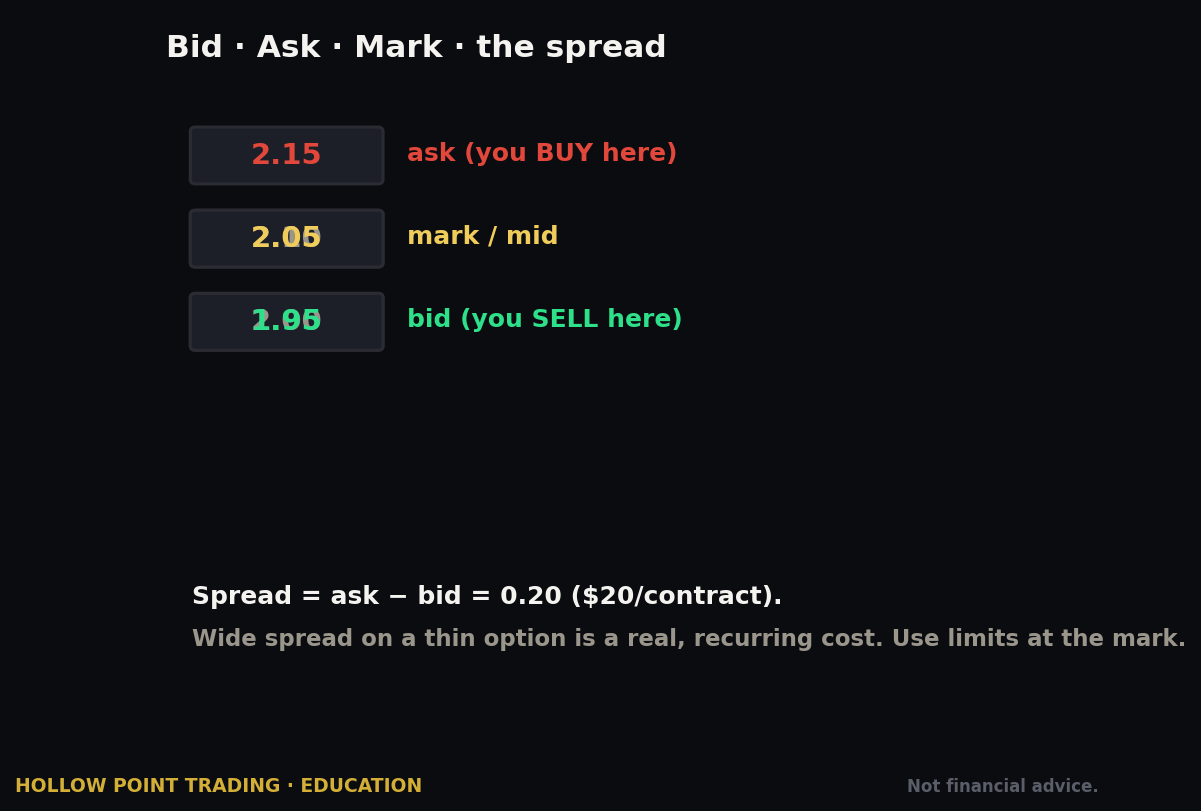
- Bid / Ask — what buyers will pay and sellers will take. The midpoint is roughly fair value; the gap is the spread (your hidden cost, paid twice — once in, once out).
- Last — most recent trade price. Beware: on an illiquid contract, "last" might be from an hour ago and completely stale.
- Volume — contracts traded today (liquidity right now).
- Open Interest — total contracts outstanding (liquidity depth). Low OI = wide spreads and hard exits. Trade liquid options. A good rule of thumb: prefer contracts with open interest in the hundreds or thousands, not single digits.
- The Greeks — Power E\*TRADE streams these live:
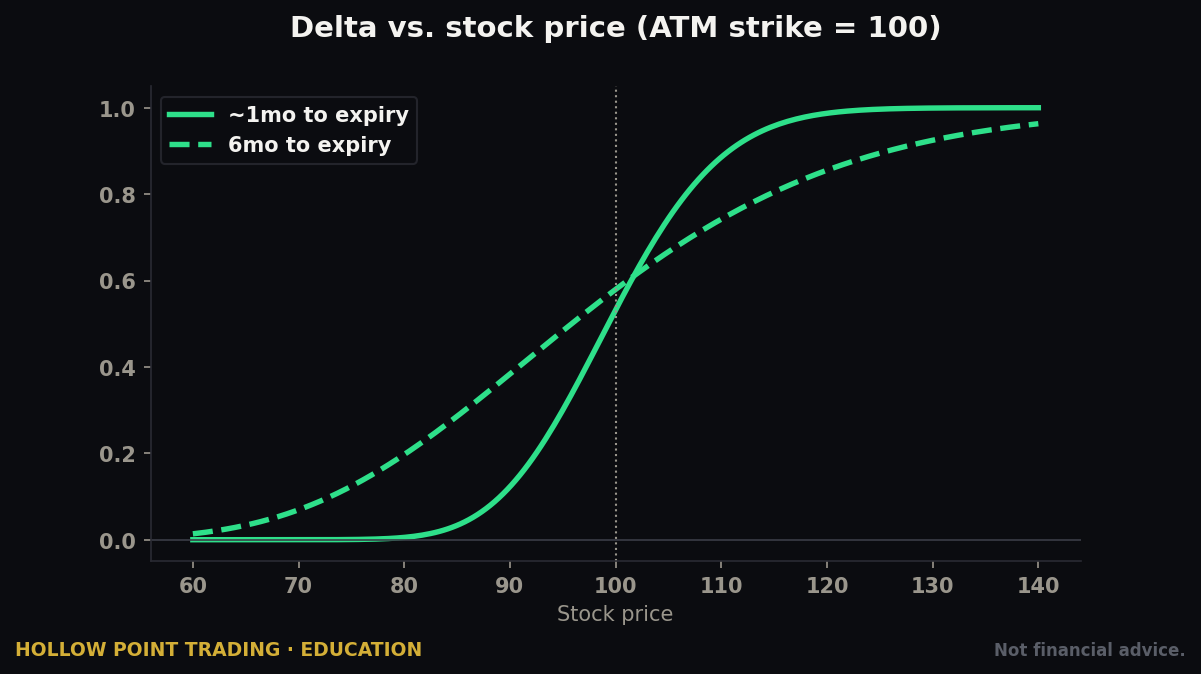
- Delta — how much the option moves per $1 of underlying; also a rough probability of finishing in-the-money. A 0.30-delta call moves ~$0.30 per $1 of stock and has roughly a 30% chance of expiring ITM.
- Gamma — how fast delta changes as the stock moves. High near the money and near expiration.
- Theta — daily time decay (the seller's tailwind, the buyer's headwind). A theta of -0.05 means the option loses about 5 cents of value per day, all else equal.
- Vega — sensitivity to implied volatility. A vega of 0.10 means a 1-point IV change moves the option ~10 cents.
- Implied Volatility (IV) — the market's expected move priced into the option. High IV = expensive options. Comparing a strike's IV to the stock's own history (IV rank/percentile) tells you whether options are relatively cheap or rich right now.
The at-the-money strikes sit near the current price; in-the-money and out-of-the-money run in either direction. Power E\*TRADE lets you toggle columns, so build a chain view that shows Delta, Theta, IV, Volume, and Open Interest at a glance — that's your decision-grade layout, and it should be the same every time so your eye knows where to look.
To build a multi-leg strategy, you select the legs directly off the chain (E\TRADE supports up to four legs in a single order*) and the platform assembles the spread into one ticket with a single net price. This is where the strategy tools take over.
A Worked Chain Read
Say AAPL trades at $220 and you're moderately bullish over the next month. You open the chain, go out ~30 days, and look at the $225 call: bid 3.10 / ask 3.20, delta 0.38, theta -0.07, IV 26%, volume 4,200, open interest 18,000. That's a liquid, decision-grade contract — tight penny-wide spread, deep OI, a delta telling you roughly 38% odds of finishing ITM and ~$0.38 of movement per dollar of stock. Now compare the $240 call: bid 0.45 / ask 0.60, delta 0.11, IV 29%, volume 40, open interest 300. That 15-cent spread on a 50-cent option is a 30% round-trip cost before the stock moves a penny, and the thin OI means you may struggle to exit. Same chart, same thesis — one strike is tradeable, the other is a trap. Reading the chain is what separates them.
The Strategy Tools: TradeLab, Spectral, Earnings & More
This is Power E\TRADE's crown jewel and the reason options traders stay. These tools are included free* — no platform fee, no subscription, no data upcharge. Here's what each one does and, more importantly, how you'd actually use it in a real workflow.
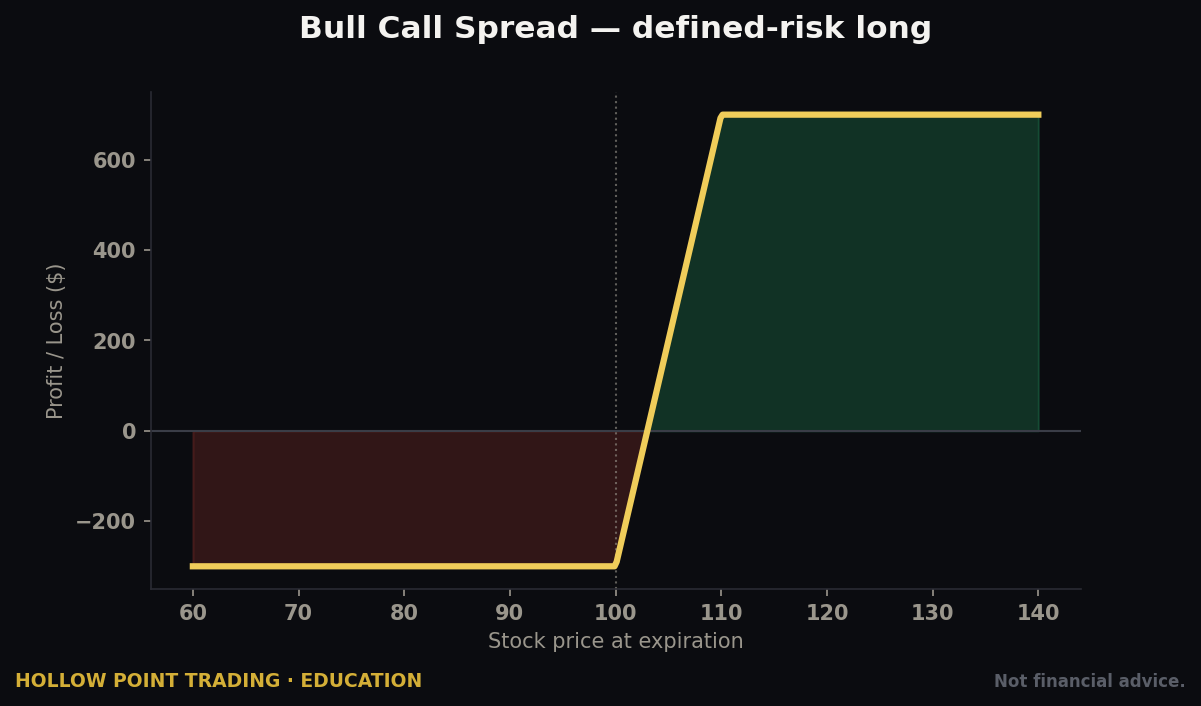
TradeLab. The core options strategy builder. Construct a custom multi-leg strategy and TradeLab shows you the risk/reward at expiration, an interactive risk profile graph (your P&L curve across underlying prices), and a dynamic Greeks analysis for the whole position. Before you place a spread, you see exactly where you make money, where you lose, your break-evens, and your max loss. For a defined-risk trader, this is non-negotiable — you should never put on a spread you haven't seen graphed. The graph turns an abstract "sell the 225/230 call spread" into a concrete picture: this line is flat and green below 225, slopes through your break-even, and floors out at your max loss above 230.
Snapshot Analysis. A fast read on a single position or strategy — its current Greeks, P&L, and risk picture in one view. Use it to check on an open trade at a glance without rebuilding it. When you have five positions on and want a 30-second health check on one, this is the tool.
Strategy Optimizer. You tell it your market outlook (bullish, bearish, neutral, volatile) and it suggests option strategies that fit, ranked and modeled. Useful for learning which structure matches which thesis — if you're neutral-to-slightly-bullish and want to be short volatility, it'll surface put credit spreads and iron condors. Treat it as a brainstorming partner, not an oracle. The tool doesn't know your macro read, your conviction level, or your risk tolerance; you do. It answers "what structures fit this generic outlook," not "what should I do here."
Spectral (Spectral Map). One of the most distinctive tools in retail brokerage. The Spectral Map is a visual heat-map of your position's expected P&L — or a chosen Greek (delta, gamma, theta) — across both price and time, from now until expiration. The "future" side lets you scroll horizontally through time and vertically through underlying prices to run "what-if" scenarios, watching the dollar and percent P&L update live. It answers "what happens to this trade if the stock sits here for two weeks?" visually. For anyone trading theta or managing a spread through time, it's a genuinely powerful mental model made concrete — you can literally watch your green zone grow as time passes on a credit spread, or watch a long call bleed if the stock goes sideways.
Earnings Move Analyzer. Analyzes a stock's implied earnings move versus its actual historical earnings moves, charts them, and feeds an integrated options trade builder — all in one view. If you trade earnings (or deliberately avoid holding through them), this tells you whether the options market is pricing a bigger or smaller move than the stock has historically delivered. Example: the analyzer shows the options are pricing a ±8% move into Thursday's report, but the stock has averaged ±5% over its last eight earnings. That gap says premium is rich relative to history — information that pushes you toward being a seller of that inflated volatility (defined-risk, e.g. an iron condor) rather than a buyer paying up for a move that historically hasn't shown up. That edge — implied vs. realized move — is exactly the kind of confluence data a disciplined trader wants before an event.
Probability Calculator. Estimates the probability of the underlying reaching a given price by a given date based on current volatility. Pairs naturally with delta-as-probability thinking to sanity-check a strike selection. If you're selling a put you want to expire worthless, and the calculator says there's a 22% chance the stock touches your strike, you can weigh that against the credit you're collecting.
Risk Slide. Stress-test your positions against hypothetical moves in price and volatility to see portfolio-level risk. This is the tool that answers the question that actually matters on a bad day: "if the market gaps down 3% and volatility spikes 10 points tomorrow, what happens to my whole book?"
Used together, the workflow is: form a thesis (top-down) → check the Earnings Move Analyzer or Spectral for the event/decay picture → build the structure in TradeLab and confirm the R/R graph → verify probability and liquidity on the chain → place the order with a bracket. That's a complete, disciplined options process, and Power E\*TRADE supports every step natively without you ever leaving the platform.
The Order Ticket & Every Order Type
A great platform is only as good as its order infrastructure. E\*TRADE's is deep — this is one of its real, underrated strengths, and it's where the platform quietly enforces discipline for you.
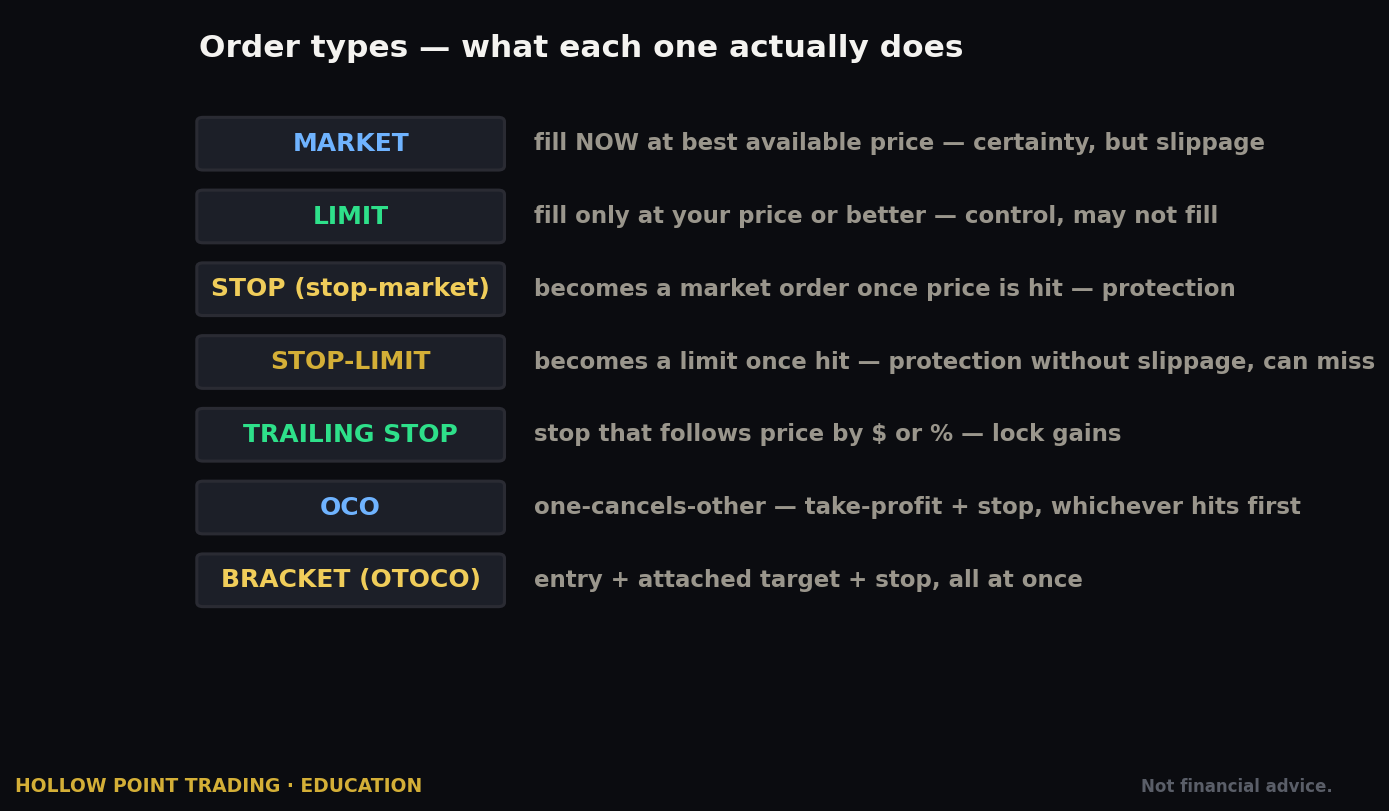
Basic Order Types
- Market — fills now at best available price. Fast, but no price control. Dangerous on illiquid names and in fast markets.
- Limit — fills only at your price or better. Price control, but no fill guarantee. Your default on options, always.
- Stop (Stop-Market) — becomes a market order when a trigger price is hit. Used to cap losses or trigger entries on breakouts. The tradeoff: in a fast move, a stop-market can fill well past your trigger.
- Stop-Limit — becomes a limit order at your trigger. Protects against bad fills in fast markets, at the risk of not filling at all if price gaps clean through your limit. Use with eyes open — a stop-limit that doesn't fill on a gap-down leaves you holding the loss you were trying to cap.
- Trailing Stop — the stop price follows the market in your favor by a set amount or percent, locking in gains as the trade works and triggering if it reverses. E\TRADE supports both Trailing Stop Loss (triggers a market order) and Trailing Stop Limit* (triggers a limit order). A 5% trailing stop on a stock that runs 20% ratchets your protection up the whole way.
Time-in-Force
- Day — expires at market close.
- GTC (Good-'til-Canceled) — persists across sessions up to a defined limit (often 60 calendar days).
- Extended-hours options where supported, plus fill-or-kill (fill entirely and immediately or cancel) and immediate-or-cancel (fill what you can now, cancel the rest) variants on the active platform.
Conditional & Advanced Orders — the Real Power
This is where E\TRADE separates from bare-bones apps. It supports a full suite of conditional orders* for equities and options (verify the current names in the ticket, as labeling shifts):
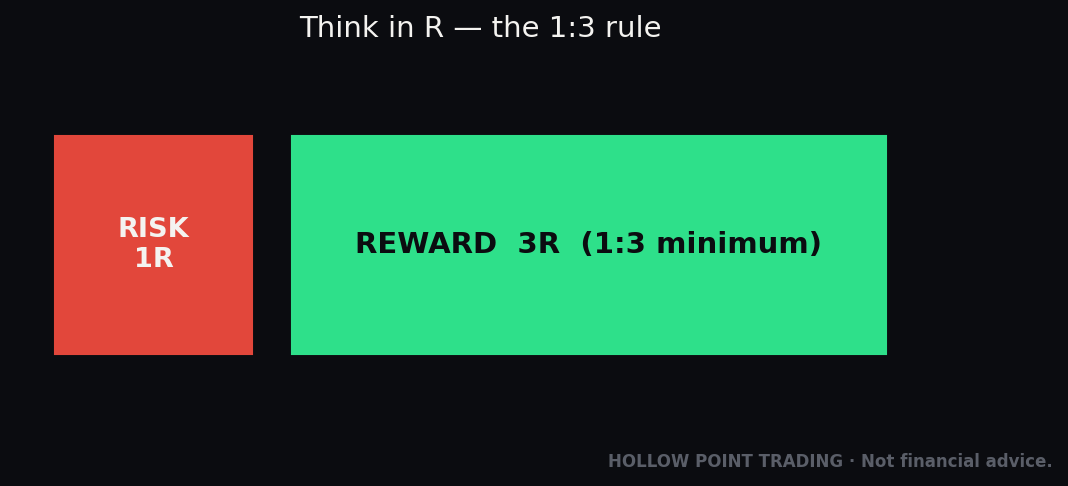
- Bracketed Order — an entry paired with both a take-profit limit and a protective stop. When one exit fills, the other cancels automatically. This is the single most important order type for disciplined trading: it enforces your R/R the moment you enter. Set your 1:3 bracket and let the plan run without you babysitting it.
- OCO (One-Cancels-Other) — two orders where filling one cancels the other. Classic use: a profit-target limit and a stop-loss on an existing position.
- OTO (One-Triggers-Other) — a primary order that, when filled, automatically submits a secondary order.
- OTOCO (One-Triggers-OCO) — a primary entry that, on fill, launches an OCO exit pair. Effectively a bracket built from an entry trigger — you stage the whole trade before it even fills.
- Contingent — an order triggered by a condition on another symbol or an indicator (e.g., "buy this if the S&P crosses X" or "sell if this stock's RSI breaks a level"). Powerful for intermarket and confluence-based entries.
- One-Cancels-All (OCA) and One-Triggers-All (OTA) — the multi-order generalizations for managing a basket.
- Hidden Stop — a stop held by E\*TRADE rather than resting visibly at the exchange, so it isn't part of the visible order book.
The practical takeaway: you can automate your entire trade plan. Entry, target, and stop all defined and linked so your discipline doesn't depend on you sitting at the screen at the exact wrong moment — which is, reliably, the moment the trade moves. For a Hollow Point trader, brackets and OTOCO are the mechanical expression of "bound by rules." Learn them first, before you learn any strategy, because the best strategy in the world fails if you can't hold your exits.
Fees, Commissions & the Payment-for-Order-Flow Reality
Let's talk cost honestly, because this is where E\*TRADE is good-not-great, and where a lot of guides go soft.
Stocks & ETFs: $0 commission on online U.S.-listed trades. Standard across the industry now — table stakes, not a selling point.
Options: $0 base commission + a per-contract fee.
- $0.65 per contract standard.
- $0.50 per contract for active traders who execute 30+ stock/options/ETF trades per quarter.
- No per-contract charge to buy-to-close an equity option priced at 10¢ or less — a genuinely nice touch for closing out cheap short options instead of letting them ride to expiration for the last dime.
To be clear about where this sits competitively: $0.65/contract is average. Some brokers are cheaper for high-volume options sellers, and a few now use a "$1.00 to open, $0 to close" model — but that's a different broker's structure, not E\TRADE's. Don't confuse them, and don't let a forum post about someone else's fee schedule change how you budget here. E\TRADE's is a straightforward per-contract fee each way (with the sub-10¢ close exemption).
A worked cost example. You run a 10-contract iron condor (four legs, so 40 contracts total to open, 40 to close). At $0.65/contract that's $26 to open + $26 to close = $52 round-trip at the standard rate, or $40 round-trip at the active-trader $0.50 rate. On a condor collecting, say, $1,200 of credit, $52 is a bit over 4% of the premium — not trivial, not fatal. Now scale that to someone trading condors daily and you see why high-volume sellers shop the per-contract line item hard. For an occasional spread trader, it's noise.
Other fees to know:
- Broker-assisted trades: around $25 per trade (use the platform, not the phone — the phone is for emergencies).
- Mutual funds: many no-transaction-fee (NTF) funds at $0; non-NTF funds run about $19.99 per transaction.
- Futures: available, with per-contract commissions plus exchange and NFA fees (verify current rates — futures pricing changes independently of the stock/options schedule).
- Account transfer out (full ACATS): around $75 — on the higher side, worth knowing before you leave. Partial transfers may be cheaper.
- Outgoing wire: about $25; incoming wire free.
- No account minimum, maintenance, or inactivity fee.
The payment-for-order-flow reality. Like most zero-commission brokers, E\TRADE routes many customer orders to wholesale market makers who pay the broker for that order flow (PFOF). This is legal and disclosed, and it's part of how "commission-free" is funded. The tradeoff is subtle: your fills may be a fraction of a cent worse than a theoretically perfect route, in exchange for not paying a commission. For most traders the effect is negligible — often you get price improvement versus the quoted spread. For high-frequency size traders, execution quality matters and is worth researching in E\TRADE's public order-routing (SEC Rule 606) disclosures, which are published quarterly. The honest summary: "free" isn't free, it's monetized elsewhere — but for retail-sized trades it's a fine deal, and the commission you're not paying almost always outweighs the fraction-of-a-penny routing difference.
Margin, Account Types & the New PDT Reality
Account types span the full menu: individual and joint taxable brokerage, Traditional/Roth/Rollover IRAs, custodial accounts, and specialty structures. For active trading you want an individual margin brokerage account.
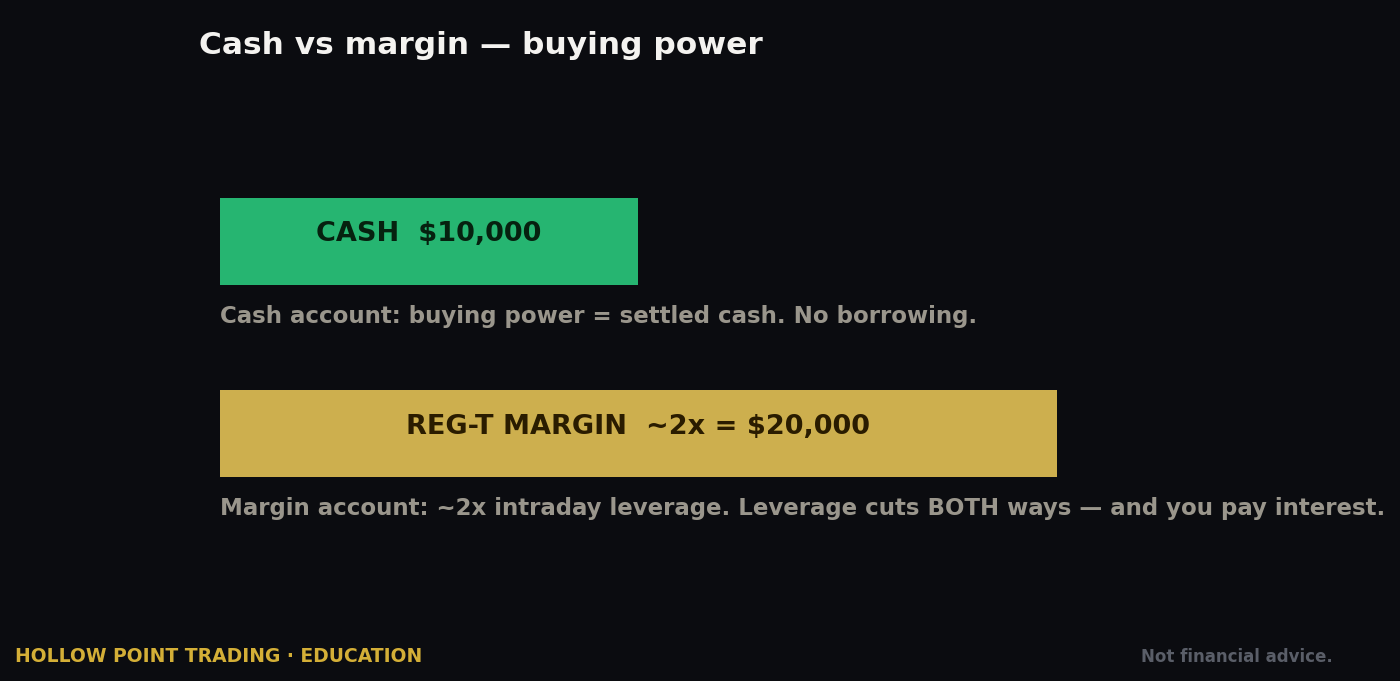
Margin lets you borrow against your portfolio to buy more or to sell certain options structures. It's a separate approval (and required for options Levels 3 and 4). Understand the cost: *E\TRADE margin interest is tiered by balance, running roughly 8.95% to 12.70%* in 2026 — highest for small balances (about base + 2.50%) and lowest for large ones (about base + 0.50% at the $250K–$500K tier). Margin is a tool, not free money; borrowing at ~12% to hold a losing position is how accounts spiral, because you're paying interest to stay wrong. A day trader who closes everything by the close pays no overnight margin interest* — flat by 4 p.m. ET, no borrow cost, because the loan is never held overnight.
There's a second flavor worth naming: maintenance margin and the margin call. If your account equity falls below the maintenance requirement — because a position moved against you — the broker issues a margin call, and if you don't meet it by adding funds or reducing positions, the broker can liquidate your holdings at its discretion, without waiting for your permission or your preferred price. Read that sentence twice. Overleveraged accounts don't just lose slowly; they get force-liquidated at the worst possible moment, at market, into weakness. The defense is simple: don't run your margin to the edge.
The Big 2026 Change — the PDT Rule Is Effectively Gone
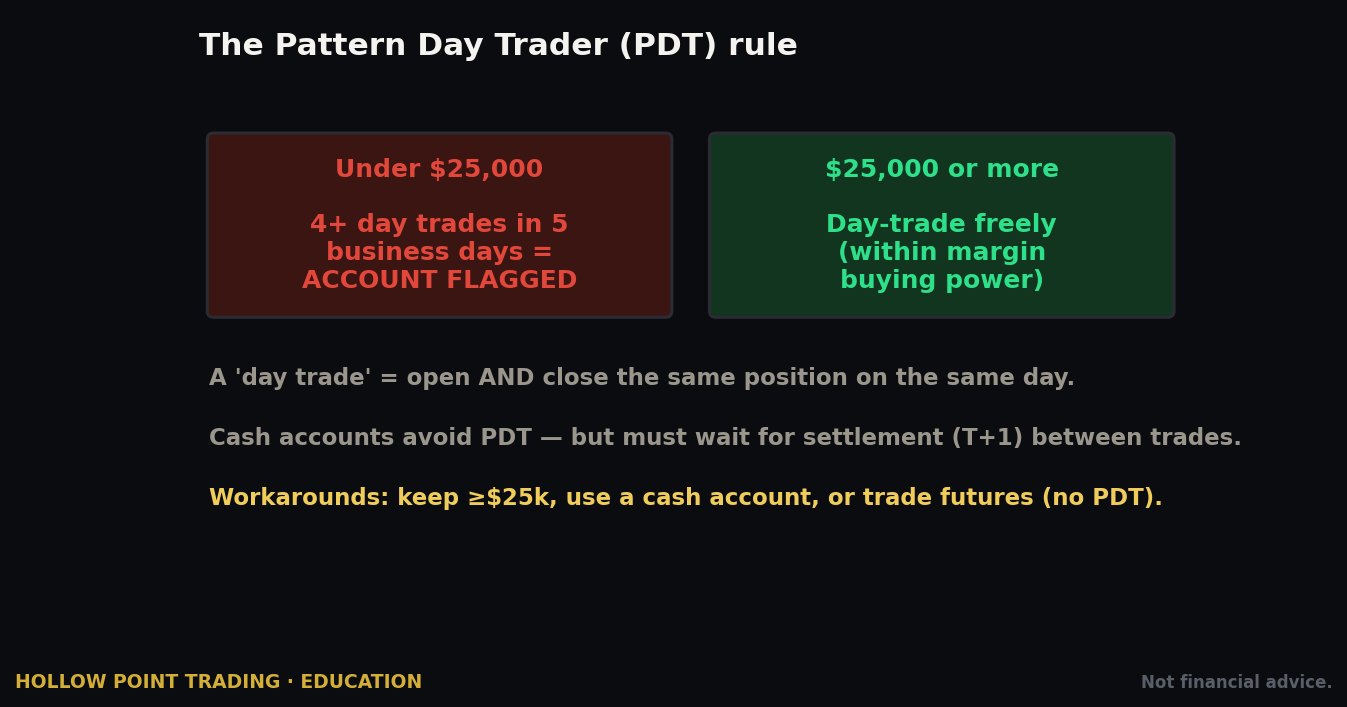
This is important and current. FINRA replaced the old day-trading margin provisions with intraday margin standards; *the changes took effect June 4, 2026, and E\TRADE implemented them on June 9, 2026.** What changed in plain English:
- The old Pattern Day Trader designation — where 4+ day trades in 5 business days flagged you and forced a $25,000 minimum equity floor — no longer applies. Brokers are no longer required to track your day-trade count or impose special PDT margin rules.
- The $25,000 minimum for day trading is gone. Intraday buying power for margin clients is now based on real-time intraday margin excess rather than an end-of-day equity threshold.
- You still must maintain the standard $2,000 minimum equity under existing margin rules.
This is a meaningful shift for smaller accounts. The old rule effectively locked traders under $25K out of frequent day trading; that gate has been removed. But note: exact implementation and any broker-specific overlays evolve, so *verify E\TRADE's current day-trading buying-power rules on your own account** before you assume you can trade unlimited round-trips on a small balance. Rules that just changed tend to keep getting refined, and brokers can impose their own house requirements stricter than the regulatory floor.
The Hollow Point read: the removal of the PDT gate is freedom, and freedom without rules is how small accounts die. The $25K rule accidentally enforced discipline on undercapitalized traders by simply preventing them from overtrading. Now that it's gone, you have to be the risk manager it used to be. Size down, respect your stops, cap your daily loss, and don't treat a lifted restriction as a green light to fire off twelve round-trips on a bad morning trying to get even. The rule that annoyed you was also protecting you from yourself.
How E\*TRADE Behaves Across Market Regimes
A tool guide that ignores market conditions is only half a guide. The same platform, the same chain, the same strategy tools behave very differently depending on whether the market is trending, chopping, or in a high-volatility panic. This is where the analyst work happens.
Trending Markets
In a clean trend — say the S&P grinding higher with the daily EMA 12/22/55 stacked bullish — directional structures shine and the platform's tools reward you. The Earnings Move Analyzer and Probability Calculator matter less; the risk graph in TradeLab matters more, because in a trend your job is to size a directional bet correctly and let it run. A debit call spread or a simple long call with a wide trailing stop expresses a trend beautifully. Use E\TRADE's trailing stop and OTOCO* to ride the move without capping it prematurely — set the target far, and let the trail do the work. The mistake in a trend is being too clever: selling premium against a strong move, or taking a defined-risk condor when the market wants to run straight through your short strike.
Choppy, Range-Bound Markets
In chop — price oscillating in a range, no EMA stack, low directional conviction — the platform's premium-selling toolkit comes alive. This is iron condor and credit spread weather, and the Strategy Optimizer set to "neutral" plus the Spectral Map (to watch theta accrue as price sits still) are your friends. The Spectral time-scroll is made for chop: you can visually confirm that if the stock does nothing for two weeks, your position prints. The mistake in chop is buying long options and watching theta bleed them — a range that's fine for a seller is a slow death for a premium buyer. Read the regime first, then pick the structure the regime rewards.
High-Volatility / Panic Regimes
When volatility spikes — a VIX blowout, a gap-down, a headline-driven flush — three things change at once, and the platform's risk tools earn their keep. First, spreads widen: bid/ask gaps that were a penny become a dime, so limit orders (never market) become mandatory and your fills degrade. Second, IV inflates every premium, which punishes option buyers (you overpay for the move) and can reward disciplined sellers of defined-risk structures — but only if you respect that high IV can go higher. Third, the Risk Slide tool becomes the most important screen on the platform, because it answers "what does my whole book do if we gap another 3% with vol up 10 points?" In a panic, position size down hard, widen your stops or convert to defined-risk so you can't be force-liquidated, and lean on the Spectral/Risk Slide combination to see portfolio-level exposure before you add a single new position. The account-killer in high vol is treating it like a normal regime — same size, market orders, no stress-test. Don't.
Multi-Timeframe Workflow on Power E\*TRADE
Hollow Point trading is top-down by design, and Power E\*TRADE's charting supports it if you set it up deliberately. The discipline is to let the higher timeframe set the bias and the lower timeframe set the trigger — never the reverse.
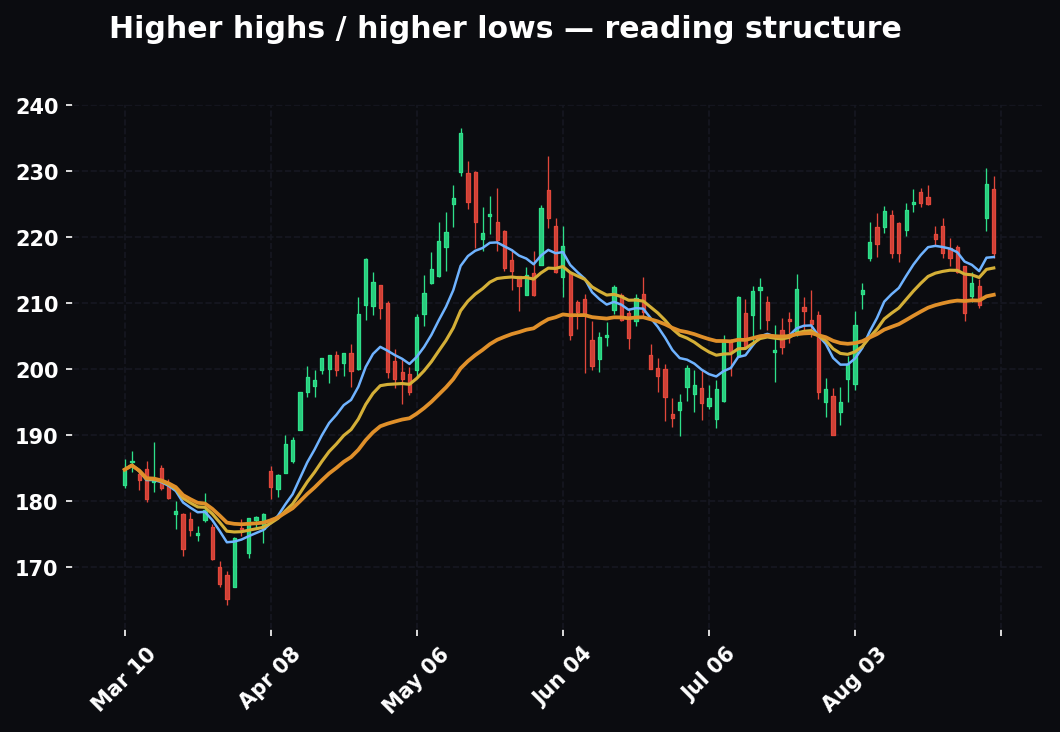
The bias timeframe (Daily / Weekly). Start here every time. Load the daily chart, confirm the EMA 12/22/55 stack, mark the major structure (higher highs/higher lows or the opposite), and note the key horizontal levels — prior day/week high and low, obvious round numbers, the volume shelf. This decides your direction and it decides which side of the options chain you're even allowed to shop. If the daily 55 EMA is your bias tell and price is below it, you are not looking for a long-call thesis today.
The structure timeframe (1H / 4H). Drop down and refine. This is where you locate the actual level you'll trade against — the breakout line, the retest zone, the failed high. Your stop and your invalidation live here.
The trigger timeframe (5m / 15m). This is where you time the entry and where the order ticket gets filled. A daily bias plus a 1H level plus a clean 5m trigger candle at that level is three-timeframe confluence — and that alignment, not any single chart, is what justifies putting capital at risk. When all three point the same way, you get the confluence that lets you size up; when they conflict, you either stand down or size to the smallest expression of the trade.
The platform mechanic that matters: use Power E\TRADE's saved chart layouts and quickly switch resolutions on the same symbol so you're reading the same* levels across timeframes, not redrawing them each time. The order ticket and the multi-timeframe read live in the same window, so you can go from bias to trigger to filled order without ever breaking the top-down chain.
Confluence: Combining Power E\*TRADE's Tools with Your Chart Reads
No single tool is a trade. The edge is in stacking independent signals until they agree, and Power E\TRADE is built to let you stack platform tools on top of* your own technical read. Here are three concrete confluence recipes.
Recipe 1 — Trend + Delta + Probability (a directional call). Your daily chart shows a stacked bullish EMA trend and price holding above the 55 EMA. That's the technical read. Now bring in the platform: pull the chain and choose a strike whose delta (~0.35–0.45) matches the aggressiveness you want, then open the Probability Calculator to confirm the odds of reaching your target strike by expiration are acceptable given current IV. Three independent votes — chart trend, delta-as-probability, and the volatility-based probability estimate — all pointing the same way. If the probability tool says your target is a long shot at current IV, that's a signal your strike or timeframe is wrong even if the chart looks perfect.
Recipe 2 — Range + Theta + Spectral (a credit spread). Your chart read is a well-defined range with price mid-range and no EMA stack — chop. The platform confluence: use the Strategy Optimizer (neutral outlook) to surface a put credit spread below support, confirm the short strike sits below a level your chart says should hold, then load the position in the Spectral Map and scroll time forward to watch theta accrue while price sits in the range. Chart level + optimizer structure + Spectral time-decay picture = three-way agreement on a premium-selling trade. If the Spectral map shows your green zone is thin and fragile, the trade is too tight — widen it or pass.
Recipe 3 — Event + Implied-vs-Realized + Risk Graph (an earnings play). You want to trade (or fade) an earnings event. The Earnings Move Analyzer tells you the options are pricing ±8% while history says ±5% — implied is rich versus realized, a vote for selling volatility. Your chart read gives you the levels the stock has respected. The TradeLab risk graph confirms an iron condor with short strikes outside the implied move still has a defined, acceptable max loss. Three inputs — the implied/realized gap, your chart levels, and the graphed max loss — converge on a defined-risk short-vol structure. If any one disagrees (say history shows the stock routinely blows past its implied move), you stand down.
The through-line: the platform tools are votes, your chart is a vote, the macro is a vote — and you only trade when enough of them agree. Power E\*TRADE's value is that it puts every one of those votes in the same window.
Strengths & Weaknesses vs. Peers
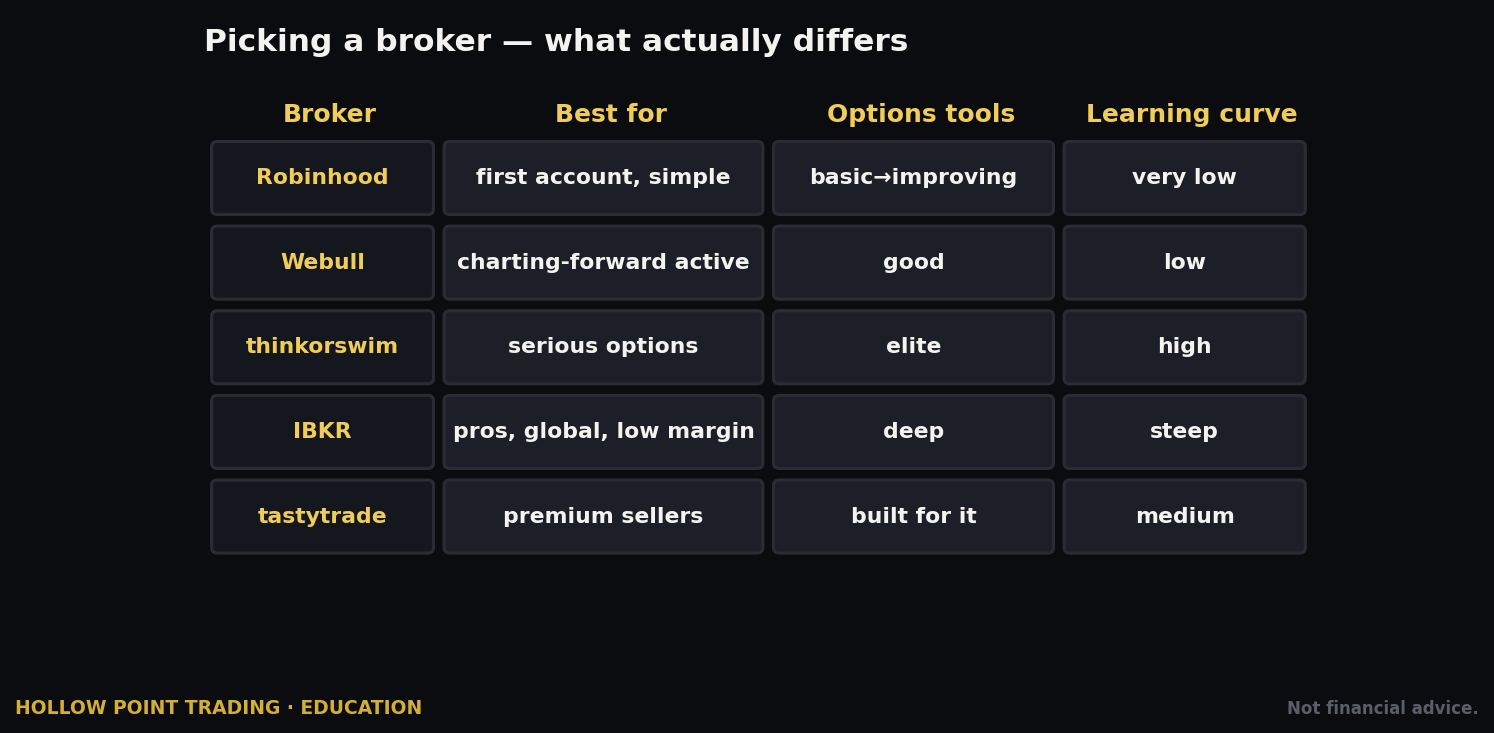
Let's put E\*TRADE next to its main rivals — Schwab/thinkorswim, Fidelity, Tastytrade, Robinhood, Interactive Brokers — with a clear eye and no cheerleading.
Strengths:
- Elite options tooling for free. TradeLab, Spectral, Earnings Move Analyzer, Strategy Optimizer — this is a genuinely top-tier options modeling suite at no cost. Only thinkorswim really competes on depth, and Power E\*TRADE is arguably more intuitive and less intimidating for someone leveling up.
- Polish and usability. Power E\*TRADE is one of the cleanest, most learnable active-trader platforms. Great for someone graduating from a beginner app who isn't ready for thinkorswim's steep curve.
- Full order infrastructure. Brackets, OTOCO, contingent, trailing, hidden stops — everything a disciplined trader needs to automate a plan and enforce their own rules mechanically.
- Morgan Stanley backing. Institutional stability, deep research, and a banking/wealth ecosystem behind the account. Your assets sit behind a systemically important institution.
- No minimums, no platform fees. The whole toolkit is free with any account — you don't earn the good tools by hitting a balance or a volume tier.
Weaknesses:
- Options per-contract fee is average. $0.65 (or $0.50 for actives) isn't the cheapest. High-volume premium sellers can save meaningfully at lower-cost specialists like Tastytrade.
- Higher ancillary fees. The ~$75 ACATS-out fee and ~$25 broker-assisted costs sting relative to some peers.
- Not a futures/crypto specialist. Futures exist but this isn't a futures-first shop with a specialist's DOM culture, and crypto access is limited compared with rivals built around it.
- Two-platform split. The classic-vs-Power divide genuinely confuses beginners who don't realize the good tools live behind a second launcher — a self-inflicted onboarding tax.
- Margin rates aren't the lowest. Interactive Brokers, for one, undercuts E\*TRADE meaningfully on borrow cost, which matters if you carry margin balances.
How it maps to the field, one line each: thinkorswim matches the tool depth and adds a scripting language, at the cost of a steeper curve. Fidelity wins on account service and cash management, trails on options modeling. Tastytrade wins on options cost and mechanics-first design, with a narrower general-purpose feel. Robinhood wins on simplicity and loses on depth — no serious modeling. Interactive Brokers wins on cost, margin rates, and global access, and loses on approachability.
The one-line verdict: *if options modeling and a clean platform matter more to you than shaving the last penny off per-contract cost, E\TRADE is one of the best homes available.** If you're a pure cost-minimizer or a futures specialist, look harder at Tastytrade or Interactive Brokers.
How the Pros Use Power E\*TRADE Differently From Beginners
Same platform, radically different results. The gap is almost never the tools — it's the process wrapped around them. Here's what actually separates an experienced operator from a new account.
Pros model the exit before the entry; beginners model the entry and improvise the exit. A professional opens TradeLab, finds the max loss and the two break-evens, and then decides whether the trade is worth it. The beginner falls in love with a thesis, buys the call, and only meets their real risk when it's already red. The tool is the same; the sequence is inverted.
Pros trade size, not conviction. A beginner who feels strongly buys more. A pro who feels strongly still sizes to a fixed fraction of the account, because they know conviction is uncorrelated with outcome. Power E\*TRADE's Risk Slide exists to answer "what's my worst case across the whole book," and pros actually look at it before adding a position.
Pros read IV rank before they pick a strategy; beginners pick a strategy and ignore IV. A professional checks whether implied volatility is high or low relative to that stock's own history and lets that steer buyer-vs-seller. High IV rank pushes them toward defined-risk selling; low IV rank toward buying. Beginners buy calls in a 90th-percentile IV environment and wonder why the stock rallied and their option still lost — they paid for a move that was already priced in.
Pros respect liquidity as a hard filter; beginners chase the cheap far strike. A pro won't touch a contract with a dime-wide spread and 40 open interest no matter how attractive the payoff looks, because they know the exit is where illiquid options kill you. Beginners see a 20-cent lottery ticket and buy a hundred of them.
Pros use the platform to remove themselves from the decision; beginners keep themselves in it. OTOCO and brackets exist so the plan executes without the trader's emotions in the loop. Pros stage the whole trade — entry, target, stop — and walk away. Beginners place a naked entry and then "watch it," which is a euphemism for making an emotional decision under pressure at the worst moment.
Pros keep the process identical across regimes; beginners let a good or bad streak change their size. The professional's routine — top-down read, structure, R/R graph, bracket — is the same after five wins and after five losses. Beginners double up to get even after losses and get reckless after wins. The platform can't fix that; only rules can.
Common Beginner Mistakes on This Platform
Every platform has its own traps. Here are the ones that bite new E\*TRADE users specifically — read this list twice, because avoiding these is worth more than any strategy.
1. Living in the classic site and never opening Power E\TRADE.* The best tools are behind the second launcher. If you're modeling options on the basic ticket, you're driving a race car in first gear. Launch Power E\TRADE and stay there. This is the most common and most costly onboarding mistake.
2. Placing market orders on illiquid options. Power E\TRADE shows you bid/ask, volume, and open interest — use them. A wide spread on a low-OI contract means a market order gets filled at a price you'll hate, and you'll pay that spread again on the way out. Use limit orders on options, always*, and check open interest before you touch a strike.
3. Skipping TradeLab before a spread. The risk graph exists so you never put on a structure without seeing your max loss and break-evens. Beginners who skip it discover their real risk profile only when it's already against them. Model first, place second — every single time.
4. Ignoring the Spectral/time dimension. New options traders think in price only and forget theta. The Spectral Map shows you what happens if the stock does nothing for two weeks — which, for a long-option buyer, is often a slow bleed to zero. Look at the time axis before you buy premium; time is the buyer's enemy and most beginners never even see it.
5. Applying for the wrong options level — or the wrong direction. Under-applying leaves you unable to trade defined-risk spreads (Level 3) and stuck buying naked calls and puts, the least forgiving structures. Over-applying into naked selling (Level 4) puts you in unlimited-risk strategies you don't understand. Aim for the level that matches your actual plan, which for most disciplined traders is Level 3.
6. Not setting the exit on entry. The platform gives you brackets and OTOCO for exactly this reason. Placing a naked entry with no attached stop or target is the cardinal sin — it makes every exit an emotional decision made under pressure. Build the bracket as you build the entry, not after.
7. Treating the gone-PDT rule as permission to overtrade. The $25K gate is lifted; your discipline can't be. Smaller accounts now can day-trade freely — which means the only thing stopping you from revenge-trading a bad morning is you. The rule that used to protect undercapitalized traders is gone; be the risk manager it used to be.
8. Misreading "commission-free." You still pay per-contract on options, regulatory fees, and the invisible PFOF spread. Budget for real costs, especially if you trade a lot of contracts — 40 legs of a condor round-trip is real money that a "commission-free" mindset ignores.
9. Buying options into an earnings IV crush without knowing it. Beginners buy a call the day before earnings, the stock moves in their favor, and the option still loses because implied volatility collapsed the moment the news dropped. The Earnings Move Analyzer exists precisely so you understand implied-vs-realized before you hold through a report. Not knowing about IV crush is how earnings "wins" turn into losses.
10. Over-leveraging on margin because it's available. Buying power isn't a target. Just because the account will let you deploy 2:1 doesn't mean you should, and borrowing at ~12% to hold a position that isn't working compounds the pain. Margin calls force-liquidate you at the worst moment. Use margin as occasional leverage on high-conviction trades, not as a permanent operating mode.
11. Chasing the Strategy Optimizer's suggestions blindly. The Optimizer surfaces structures that fit a generic outlook; it does not know your macro read, your levels, or your risk tolerance. Beginners treat its ranked list as a buy signal. It's a brainstorming partner. You are the analyst.
12. Confusing the two mobile apps and the two platforms. People place a "quick trade" on the basic E\TRADE mobile app, don't see their spread's Greeks or risk graph, and manage blind. Know which app you're in, and plan on a big screen. The phone is for managing* a plan you already built, not for building one.
Paper Trading: Practice Before You Risk
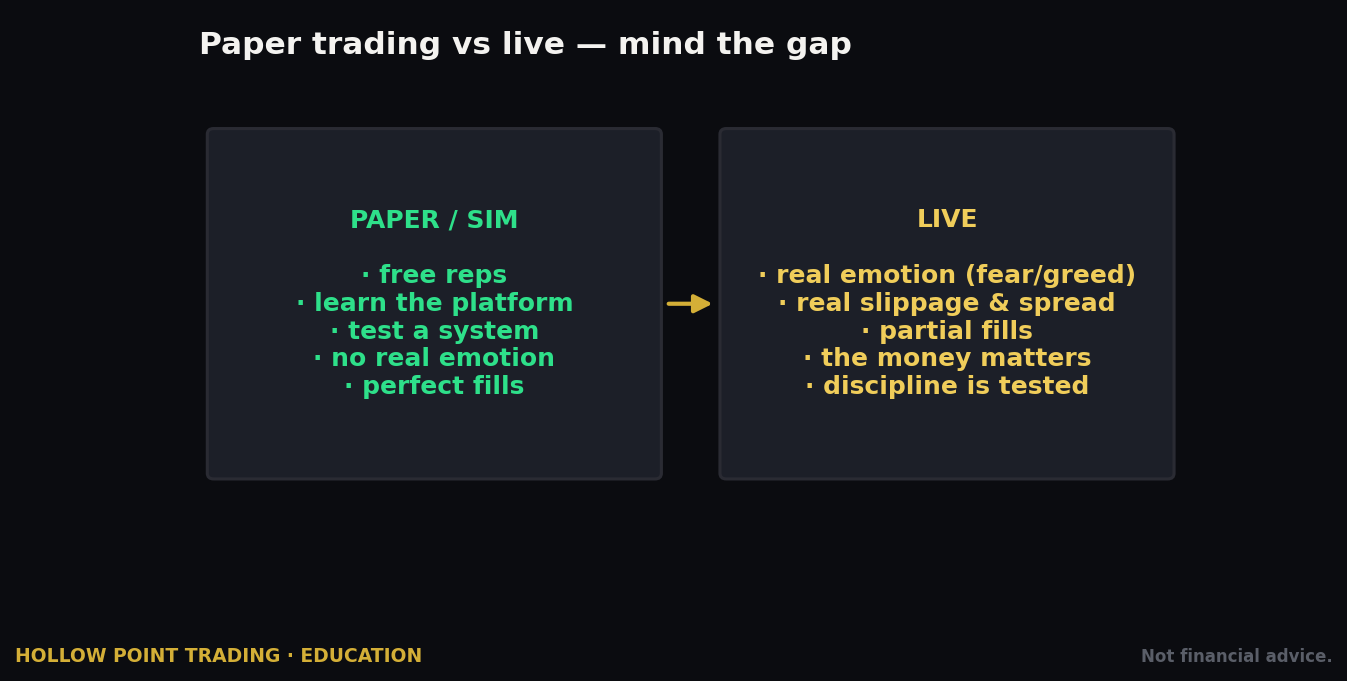
One more strength worth its own section: *Power E\TRADE includes paper trading* in the same interface as live trading. You get simulated buying power and can place stock and options trades — including multi-leg spreads — using the real chain, real Greeks, and the real strategy tools, without risking a dollar. Because it's the same* interface, the muscle memory you build transfers directly.
Use it deliberately, not as a toy. The right way to onboard:
- Learn the mechanics — build a vertical spread off the chain, watch it assemble into one ticket, load it in TradeLab, read the risk graph. Do it until it's boring.
- Rehearse your order types — put on a bracket, an OTOCO, a trailing stop. Get the muscle memory before real money is on the line, because the first time you fumble an OTOCO should not be with capital.
- Test a strategy, not just the buttons — run your actual thesis process (top-down read → structure → R/R check → bracket) on paper for a couple of weeks and see if your process holds up, not just whether you can operate the software.
The gap between paper and live is emotional, not mechanical — paper can't replicate the feeling of real losses, and it can breed overconfidence because a simulated loss doesn't sting. But it can make sure you never fumble an order ticket with real capital because you didn't know where a button was. Use it to make the platform invisible, so that when real money is on, 100% of your attention is on the trade and 0% is on the software. That's the whole point.
Frequently Asked Questions
Is E\TRADE good for beginners?* Yes, with a caveat. The classic site and mobile app are genuinely beginner-friendly for investing. Power E\TRADE is beginner-capable for options but has depth you'll grow into. Start on paper trading, learn TradeLab and brackets, and grow into the tools. The polish makes it a better first serious-options platform than most.
Do I need $25,000 to day trade on E\TRADE now?* As of the June 2026 changes, the old $25,000 Pattern Day Trader minimum no longer applies — intraday buying power is based on real-time margin excess, and the standard $2,000 margin-equity minimum applies. But verify E\TRADE's current house rules on your own account, because implementations of a freshly changed rule keep getting refined.
What options level do I need for credit spreads and iron condors? Level 3, which requires margin approval. Level 2 covers long calls/puts and cash-secured puts; Level 3 unlocks the defined-risk multi-leg structures most disciplined traders actually want.
Is Power E\TRADE free?** Yes. There's no platform fee, no subscription, and no minimum to access the full tool suite — TradeLab, Spectral, Earnings Move Analyzer, and the rest come with any account. You pay per-contract commissions on options trades, not for the tools.
How much are options at E\TRADE?** $0 base plus $0.65 per contract standard, $0.50 per contract if you do 30+ trades a quarter, and no per-contract fee to buy-to-close an option priced at 10¢ or less.
Can I trade options in my IRA? Often yes, up to defined-risk strategies with the right approval, but IRAs restrict naked selling and standard margin borrowing. Confirm the specific strategies your IRA supports before you fund it expecting to run a particular structure.
Is my money safe at E\TRADE?* E\TRADE is a Morgan Stanley company, a member of SIPC (which protects securities accounts within limits against broker failure, not against market losses), and subject to standard U.S. brokerage regulation. SIPC protects against the broker failing, not against your trades losing money.
Power E\TRADE vs thinkorswim — which is better for options?* They're the two serious retail options platforms. thinkorswim goes deeper (scripting, more granular tools) with a steeper learning curve; Power E\TRADE is more intuitive and arguably faster to become productive on. For most retail options traders, Power E\*TRADE's tools are more than enough and easier to actually use.
What's the catch with commission-free trading? Payment for order flow. E\*TRADE routes orders to market makers who pay for that flow, which can mean fills a fraction of a cent off a perfect route. For retail-sized trades the effect is usually negligible and often you get price improvement; heavy size traders should read the Rule 606 disclosures.
Should I use the desktop Pro version or the web version? Most traders should use Power E\*TRADE web — it does everything, requires no install, and works from anywhere. Choose Pro if you run a multi-monitor daily operation and want the deepest customization and lowest-latency streaming.
Quick-Start Cheat-Sheet
Pin this. It's the whole workflow in one screen.
Setup
- Open an Individual Brokerage with margin at etrade.com ($0 minimum). For options in a retirement account, confirm which strategies the IRA allows first.
- Fund via ACH (free) or wire (fast); ACATS to transfer an existing account in — ask about fee reimbursement before you initiate.
- Apply for options — target Level 3 for defined-risk spreads (Level 2 minimum for long calls/puts). Answer the experience questions honestly.
Platform
- Classic site = investing. *Power E\TRADE = trading.** Launch it and live there.
- Desktop = *Power E\TRADE Pro; phone = Power E\TRADE mobile* (manage, don't plan).
- Turn on paper trading first; make the software invisible before you risk a dollar.
Every trade
- Top-down read: macro → sector → stock. Confirm the daily EMA 12/22/55 trend and mark your levels across timeframes (bias → structure → trigger).
- Read the regime: trending = directional structures; chop = premium selling; high vol = size down, defined-risk only, check Risk Slide.
- Pull the options chain — check Delta, Theta, IV, Volume, and Open Interest (trade liquid only; skip dime-wide spreads on thin OI).
- Build the structure in TradeLab — confirm max loss, break-evens, R/R (target 1:3).
- Check the time dimension in Spectral; for events, run the Earnings Move Analyzer (implied vs. realized — beware IV crush).
- Stack confluence: chart vote + delta/probability vote + macro vote. Only trade when enough agree.
- Place with a bracket / OTOCO — entry, target, and stop linked from the start.
- Limit orders on options, always. Preview every ticket before you place.
Costs
- Stocks/ETFs $0. Options $0.65/contract ($0.50 at 30+ trades/quarter; free to close sub-10¢).
- Watch the ~$75 ACATS-out and ~$25 broker-assisted fees. Remember commission-free ≠ cost-free (PFOF + regulatory fees).
Risk
- PDT $25K rule is gone (June 2026) — $2,000 minimum margin equity applies; verify current buying-power rules on your account.
- Margin runs ~8.95%–12.70%; flat by 4 p.m. ET = no overnight interest. Never run margin to the edge — force-liquidation happens at the worst price.
- No stop = no trade. The platform automates discipline — use it. Keep your process identical across win streaks and losing streaks.
Standing reminder: brokerage screens change. Every menu path here is a map, not a photo — verify the current screen before you rely on it, and never trust a fee or feature you haven't confirmed on E\*TRADE's live site.
E\TRADE won't be the cheapest broker you can find, and it won't be the flashiest. What it will be — for the trader who cares about modeling a position properly before risking capital — is one of the most complete, most polished options cockpits in retail brokerage, sitting behind Morgan Stanley's balance sheet and asking nothing extra for the good tools. The tools don't make you disciplined; they make discipline executable. TradeLab shows you the max loss so you can respect it. Spectral shows you time so you can trade it. Brackets and OTOCO hold your exits so your emotions don't have to. Learn Power E\TRADE, respect the order infrastructure, read the regime before you pick the structure, and let the platform enforce the discipline you already committed to.
Bound by rules, feared by trade.